Extended Note Block Basics
The Extended Note Block is the core of this mod. Compared to the vanilla Note Block, it offers more precise control and richer features.
Placement and Basic Settings
- Placement: Place the Extended Note Block just like a vanilla Note Block.
- Open Interface: Right Click the block to open its configuration interface.
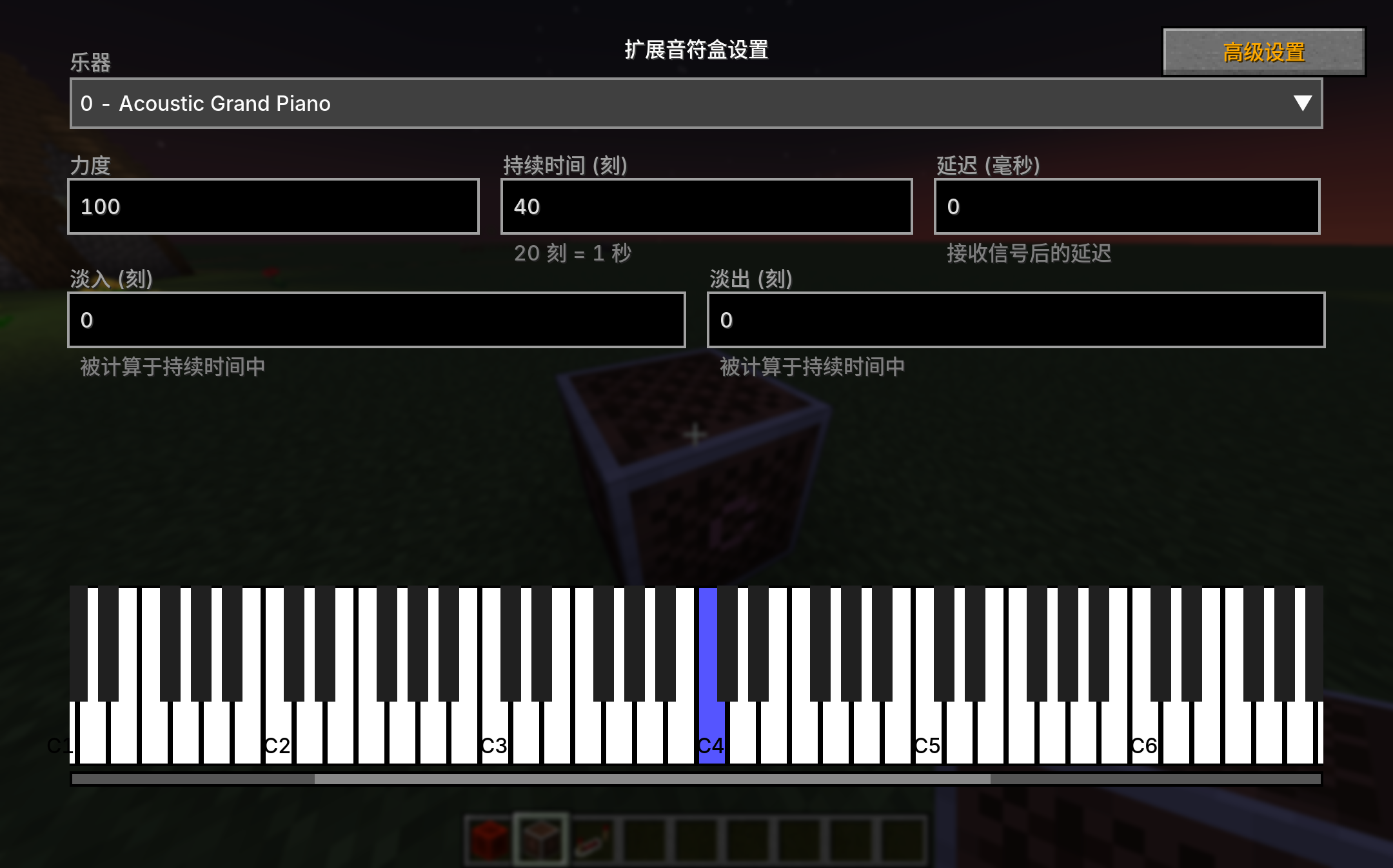
Parameter Details
In the basic settings interface, you can configure the following parameters:
1. Note (Pitch)
- Range: 0 - 127 (corresponding to the MIDI standard).
- Unlike the vanilla 0-24 limit, here you can play sounds spanning 10 octaves.
2. Velocity
- Range: 0 - 127.
- Controls the loudness (volume) of the sound.
3. Sustain
- Unit: Tick (1/20th of a second).
- Controls the duration before the sound wave ends.
4. Delay
- Unit: Milliseconds (ms).
- This is a real-time delay setting. When the block is activated by a Redstone signal, it waits for the specified number of milliseconds before making a sound.
- This allows for finer musical alignment than Redstone Repeaters (which have a 0.1s granularity).
5. Fade In/Out
- Unit: Tick.
- Allows the sound to appear or disappear smoothly, avoiding abrupt cutoffs.