Advanced Mode
In the Extended Note Block interface, you can find the "Advanced Mode" button. Entering this mode unlocks more powerful audio rendering controls.
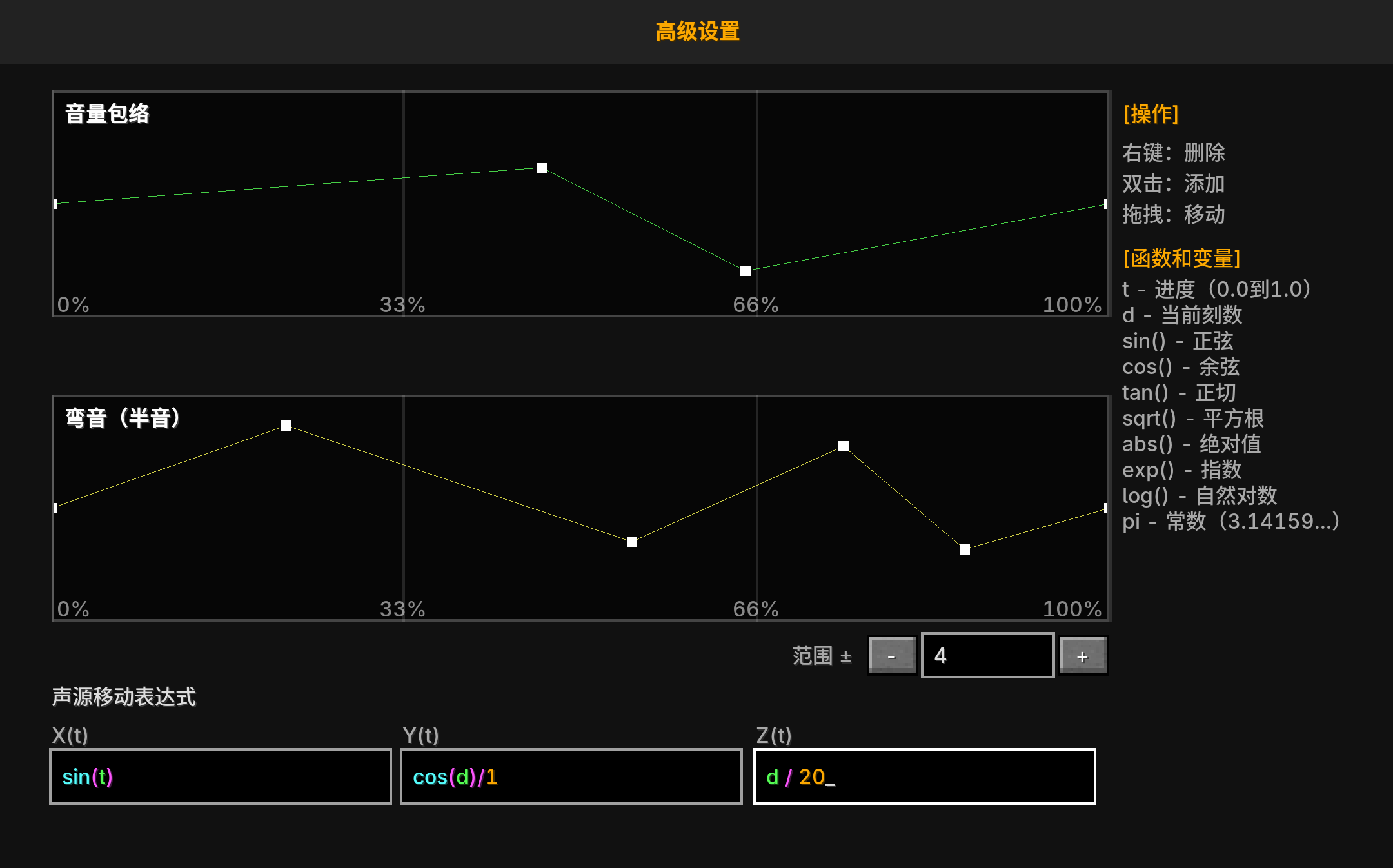
Visual Envelopes
Advanced Mode provides two core visual editors:
1. Volume Envelope
- Controls volume changes during playback.
- Edit: Click and drag points on the curve to change its shape.
- Function: Achieve complex fade-ins, fade-outs, vibrato, or gradual decay effects.
- Note: When fade-in/out in Normal Mode and the Volume Envelope in Advanced Mode exist simultaneously, the Volume Envelope in Advanced Mode overrides the Normal Mode settings.
2. Pitch Envelope
- Controls pitch shifts during playback.
- Edit: Same as above.
- Function: Achieve portamento, pitch vibrato, or special sound effects.
- Note: When pitch in Normal Mode and the Pitch Envelope in Advanced Mode exist simultaneously, the Pitch Envelope in Advanced Mode overrides the Normal Mode pitch.
Dynamic Sound Source Movement
This is a unique feature of the Extended Note Block, allowing sound to "wander" in space over time. By entering mathematical expressions, you can define the relative offset of the sound source on the X, Y, and Z axes.
Variables:
t: The percentage of the current playback progress (0.0 to 1.0).d: The current playback time in Ticks (1 Tick = 0.05 seconds).pi: The constant (approximately 3.14159).
Common Functions:
Supports standard mathematical functions such as sin, cos, tan, abs, sqrt, log, exp, etc.
Example Usage:
- Circular Motion:
- X Axis:
5 * sin(2 * pi * t) - Z Axis:
5 * cos(2 * pi * t) - Effect: The sound source will rotate around the Note Block with a radius of 5 blocks.
- X Axis:
- Vertical Rise:
- Y Axis:
t * 10 - Effect: The sound will rise 10 blocks gradually during playback.
- Y Axis:
- Sine Wave Oscillation:
- Y Axis:
sin(d * 0.5) - Effect: The sound will oscillate up and down.
- Y Axis:
Notes
- If a red warning appears in the expression input box, it indicates a syntax error.