Sound Pack Manager
Extended Note Block Sound Packs are essentially standard Minecraft Resource Packs, making them easy to share and install. The mod provides a built-in manager to simplify the creation and switching process.
Opening the Manager
- In the game settings page, find and open
Sound Packs....
Core Features
1. Browse & Activate
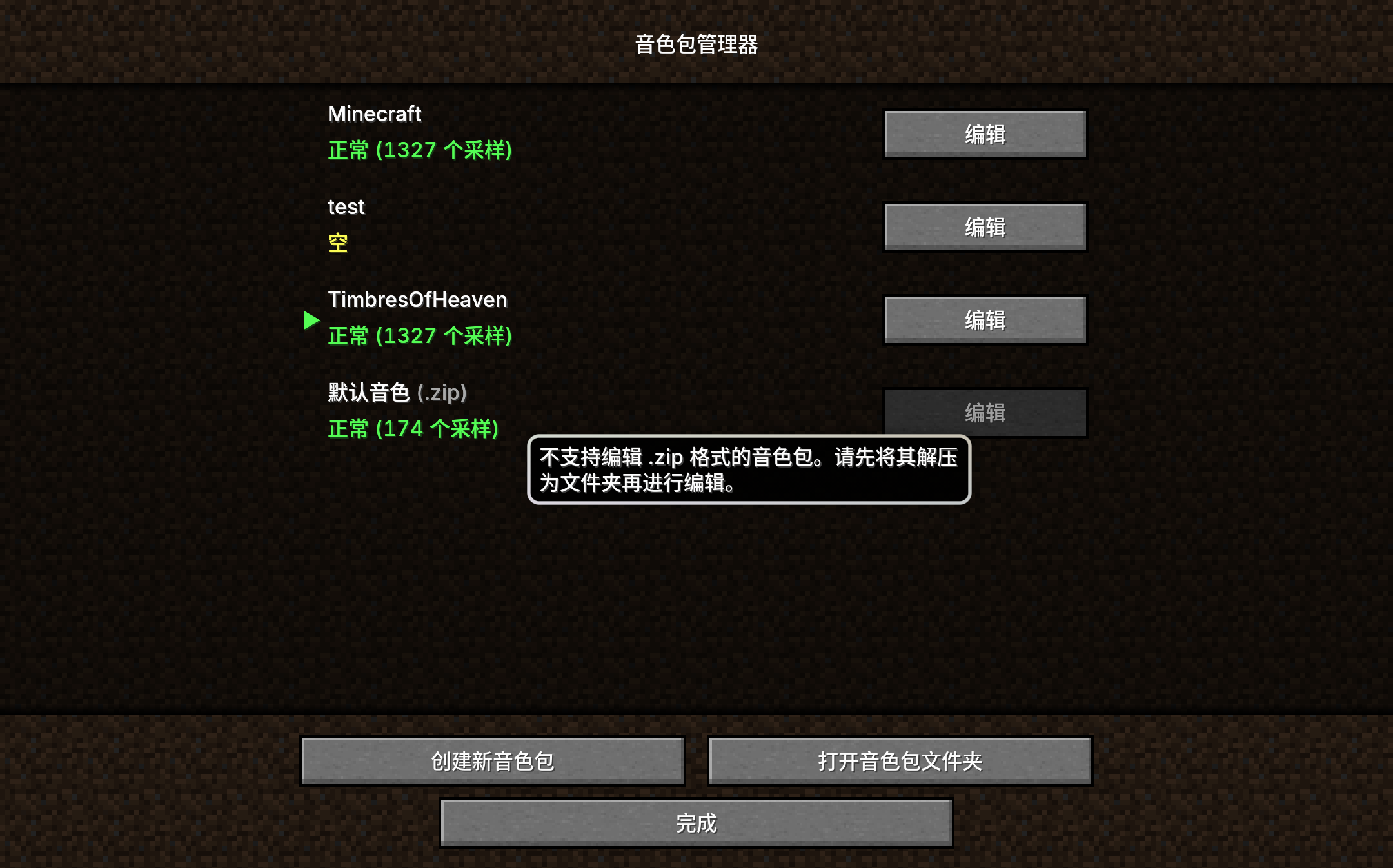
- The manager lists all recognized Extended Note Block sound packs in the
resourcepacksdirectory. - Selecting a sound pack activates it. This effectively places the resource pack at the top of Minecraft's resource pack list enabled.
2. Create New Sound Pack
- Click the "New" button, enter a name, and the mod will automatically create a new folder structure under
.minecraft/resourcepacks/. - Automatically generated files include
pack.mcmeta(Resource Pack Metadata) andpack.json(Sound Pack Configuration).
3. Edit & Refresh
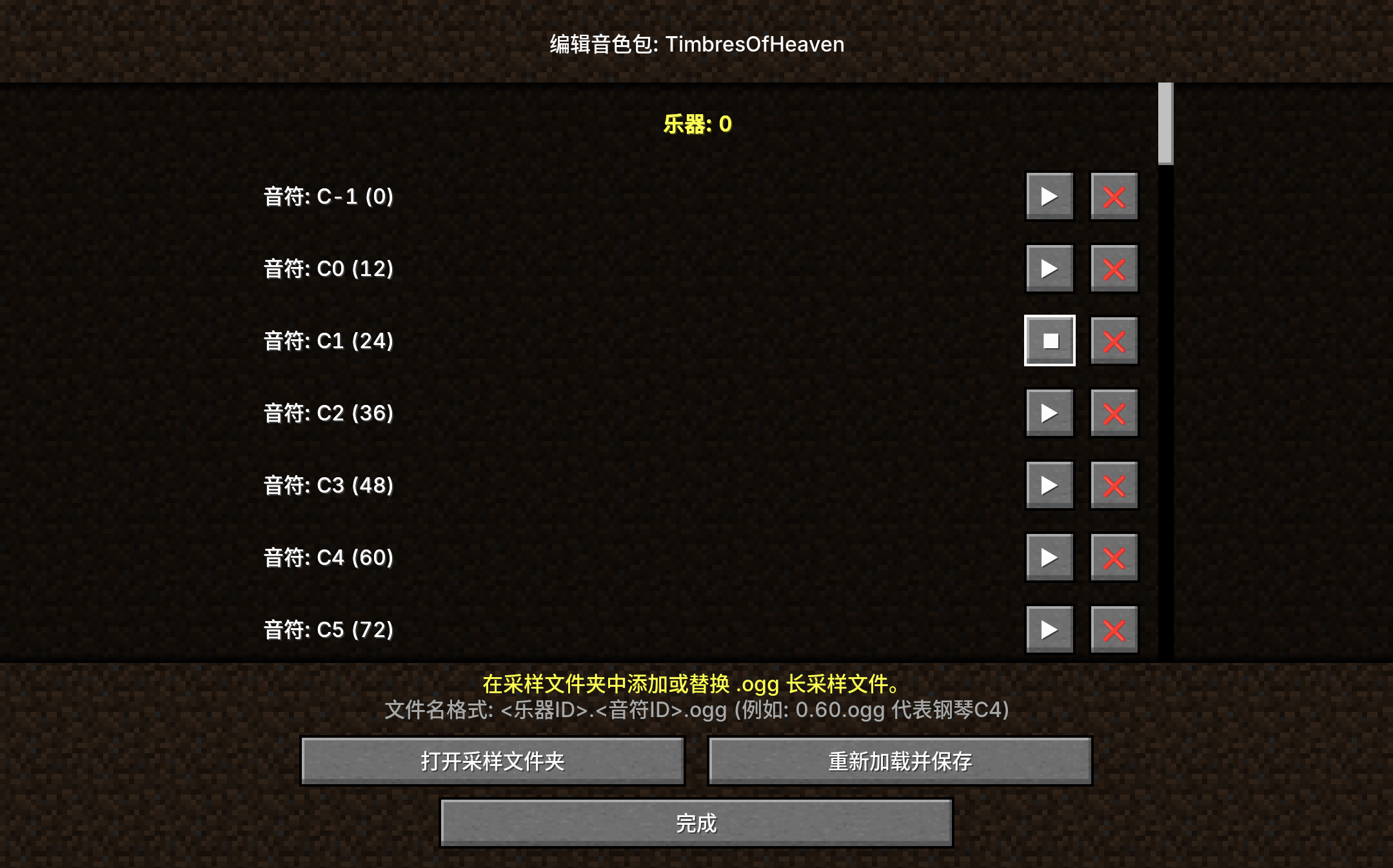
- You can open the sound pack directly as a normal folder for editing.
- After modifying files, click "Refresh" in-game, and the mod will rescan the directory, update
sounds.json, and reload resources without restarting the game.
Sound Pack Creation Guide
If you want to manually create or modify a sound pack, please follow these specifications:
Directory Location
All sound packs are located in the standard resource pack directory: .minecraft/resourcepacks/
File Structure
A standard sound pack structure is as follows:
text
MySoundPack/
├── pack.mcmeta          # (Required) Standard Minecraft Resource Pack Metadata
├── pack.json            # (Required) Extended Note Block specific configuration
└── assets
    └── extendednoteblock
        ├── sounds.json  # (Auto-generated) Defines sound events, usually maintained automatically by the mod
        └── sounds
            └── notes    # (Core) Place audio files here
Audio File Specifications
- Format: Must be in
.oggformat (Vorbis encoding)..wavor.mp3are not supported. - Naming: Filenames must follow the
InstrumentID.NoteID.oggformat.- InstrumentID: Corresponds to the instrument number in the mod (e.g., 0 is Harp/Piano).
- NoteID: MIDI pitch number (0-127).
- Example:
0.60.oggrepresents Instrument 0 (Piano), Middle C.
Configuration File (pack.json)
This is the key file for the mod to recognize the sound pack.
json
{
  "displayName": "My Sound Pack",
  "available_instruments": {
    "0": [54, 60, 66, 72],  // List of sampled pitches available for Instrument 0
    "1": [60]
  }
}
Note: Usually you only need to place the audio files and click "Refresh", the mod will automatically update this file.
Why Use Sound Packs?
- Infinite Expansion: As long as you place samples according to the naming rules, you can play the sound of any real instrument in the game.
- Smart Mapping: You don't need to record samples for every pitch. The mod automatically maps unrecorded notes to the nearest available sample and adjusts the pitch for playback.
- High Compatibility: Since they are standard resource packs, you can distribute your sound packs just like ordinary texture packs.